Table of Contents
Modern vehicles have evolved into sophisticated computers on wheels, generating vast amounts of data every second you’re behind the wheel. While dashboard warning lights offer cryptic clues about potential problems, they rarely tell the full story—leaving drivers guessing about whether that check engine light signals a loose gas cap or impending catastrophic engine failure. This uncertainty has fueled a revolution in automotive diagnostics, with WiFi-enabled OBD2 code readers emerging as the ultimate solution for tech-savvy car owners who demand transparency and control.
The shift toward real-time remote monitoring represents more than just convenience; it’s fundamentally changing how we interact with our vehicles. Unlike traditional scanners that require physical connection and provide snapshots of data, WiFi OBD2 adapters create a persistent wireless bridge between your car’s internal systems and your smartphone, tablet, or computer. This continuous stream of information empowers you to monitor performance metrics, diagnose issues instantly, and even receive alerts while your vehicle sits in a parking lot miles away—transforming reactive repairs into proactive maintenance strategies that save both time and money.
Top 10 WiFi OBD2 Code Readers
Detailed Product Reviews
1. OBD2 WiFi Scanner for iPhone iOS Android Windows Car Code Reader Enhanced Auto Diagnostic Scan Tool Odb2 OBDII Adapter Check Engine Light Live Data Reset Vehicle Performance Test

Overview: The OBD2 WiFi Scanner positions itself as a versatile diagnostic companion for modern vehicles, supporting most 1996 and newer OBDII-compliant cars across major brands. This adapter transforms your smartphone into a sophisticated scan tool, offering real-time data monitoring and basic performance testing capabilities that appeal to hands-on car owners.
What Makes It Stand Out: Unlike basic readers, this unit includes performance testing features for acceleration, braking, and distance analysis alongside standard diagnostic functions. Its dedicated “Mini ODBII” app provides a tailored experience for both iOS and Android, eliminating third-party app compatibility guesswork. Supporting all nine OBDII protocols ensures broad vehicle coverage.
Value for Money: Positioned in the mid-range segment, this scanner justifies its cost by combining code reading with performance analytics typically found in more expensive tools. For DIY enthusiasts, it quickly pays for itself by avoiding single dealer diagnostic fees while providing ongoing monitoring capabilities.
Strengths and Weaknesses: Strengths include comprehensive protocol support, integrated performance testing, stable WiFi connectivity, and a purpose-built app. Weaknesses involve potential app limitations compared to established OBD platforms, generic brand recognition raising quality questions, and lack of advanced system coverage beyond engine diagnostics.
Bottom Line: This scanner suits car enthusiasts wanting basic performance metrics alongside standard code reading. While not a professional-grade tool, it delivers solid value for DIY maintenance and monitoring.
2. WiFi ELM327 OBD2 Adapter WiFi ELM 327 OBD2 Scanner for Android iOS iPhone OBDii Car Scanner Code Reader Connector Dongle OBD ELM327 OBD2 Scanner Diagnostic Tool Interface for Torque

Overview: The WiFi ELM327 OBD2 Adapter is a budget-friendly diagnostic dongle that converts your smartphone into a capable code reader for post-1996 vehicles. Designed for simplicity, it emphasizes on-the-road safety by enabling immediate fault detection without professional equipment, making it accessible to drivers of all technical levels.
What Makes It Stand Out: This device distinguishes itself through its strong focus on real-time road safety, allowing drivers to assess check-engine warnings before continuing journeys. Its WiFi connectivity avoids Bluetooth pairing issues, while compatibility with proven apps like Torque and Car Scanner lets users leverage mature software ecosystems rather than proprietary applications.
Value for Money: Among the most affordable options, this adapter delivers exceptional bang-for-buck by providing core diagnostic functions without recurring costs. When paired with free apps, it offers professional-level code reading and live data at a fraction of dealer scanner prices.
Strengths and Weaknesses: Strengths include rock-bottom pricing, flexible app compatibility, WiFi stability, and practical safety focus. Weaknesses are notable: no FOR-Scan support limits Ford enthusiasts, generic ELM327 clones vary in reliability, and it lacks advanced system diagnostics beyond engine codes.
Bottom Line: Perfect for budget-conscious drivers needing basic diagnostics, this adapter excels as an entry-level tool. Choose it for essential code reading, but consider alternatives for comprehensive vehicle coverage.
3. OBD2 Scanner & WiFi Car Code Reader – Clears Check Engine Light – Diagnose 3000 Car Codes - Wireless Car Diagnostic Scanner – Auto Scanner for 1996 to 2016 Vehicles (iOS & Android Devices Only)
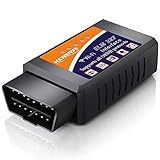
Overview: KOBRA’s OBD2 Scanner delivers wireless diagnostic capabilities for 1996-2016 vehicles, transforming smartphones into smart car interfaces. With a database exceeding 3,000 trouble codes, it targets drivers seeking transparency before mechanic visits, emphasizing empowerment through instant fault identification and check-engine light resets.
What Makes It Stand Out: The standout feature is KOBRA’s 100% risk-free 1-year money-back guarantee, providing uncommon confidence in a crowded market. Its broad app compatibility—working with OBD Fusion, DashCommand, Torque, and others—frees users from single-app dependency, while cross-platform support covers iOS, Android, and Windows devices.
Value for Money: Competitively priced with a safety net, this scanner offers strong value, especially for first-time users wary of compatibility issues. The guarantee effectively eliminates purchase risk, making it a smart entry point for those hesitant about tech purchases.
Strengths and Weaknesses: Strengths include the generous guarantee, diverse app ecosystem, multi-platform support, and straightforward operation. Weaknesses involve the 1996-2016 compatibility limitation (excluding newer models), generic hardware design, and lack of advanced diagnostics for ABS, SRS, or transmission systems.
Bottom Line: An excellent choice for beginners due to its guarantee, KOBRA’s scanner provides reliable basic diagnostics. It’s ideal for pre-2017 vehicles but consider newer alternatives for recent models or advanced troubleshooting.
4. Vgate iCar Pro Wi-Fi OBD2 Scanner Scan Tools OBDII Car Diagnostic Tool Code Reader Fault Check Engine Light for iOS/Android

Overview: The Vgate iCar Pro Wi-Fi OBD2 Scanner is a compact, energy-efficient diagnostic tool designed for long-term vehicle monitoring. Compatible with 1996-present 12V petrol and light diesel vehicles, its micro-sized form factor and battery-saving technology enable permanent installation without draining the vehicle’s battery, appealing to drivers wanting continuous connectivity.
What Makes It Stand Out: The “Fit & Forget” design philosophy sets it apart, featuring ultra-low power consumption and firmware upgradeability for evolving compatibility. Unlike disposable adapters, this tool evolves with software updates, while its tiny footprint allows it to remain plugged in unnoticed, ready for instant diagnostics.
Value for Money: Slightly premium-priced, the iCar Pro justifies cost through longevity and efficiency. The ability to leave it installed permanently adds convenience worth the modest upcharge over basic adapters, particularly for fleet managers or data enthusiasts.
Strengths and Weaknesses: Strengths include exceptional power efficiency, firmware upgradeability, compact design, and reputable brand backing. Weaknesses involve potential hidden costs from in-app purchases for full app functionality, limited heavy diesel support (≤6.5T only), and WiFi connectivity that may drain phone battery faster than Bluetooth.
Bottom Line: Best suited for users wanting a permanent, low-profile diagnostic solution. Its efficiency and upgradeability make it a wise long-term investment for regular diagnostic users.
5. BlueDriver Bluetooth Pro OBDII Scan Tool for iPhone & Android - No Subscription Fee - OBD2 Car Scanner and Code Reader - Diagnose Check Engine, ABS, SRS, Airbag & 7000+ Issues on Vehicles 1996+

Overview: The BlueDriver Bluetooth Pro OBDII Scan Tool represents a significant step up from basic code readers, offering professional-grade diagnostics for iPhone and Android users. Beyond standard engine codes, it reads ABS, SRS, airbag, and TPMS systems across 1996+ vehicles, making it a comprehensive solution for serious DIY mechanics seeking dealer-level insights without subscription fees.
What Makes It Stand Out: BlueDriver’s repair reports with possible causes and fixes transform it from a code reader into a diagnostic mentor. The integrated repair video library provides step-by-step guidance, while unlimited enhanced code definitions for 7,000+ issues exceed typical OBD2 scanners. Bluetooth connectivity ensures stable, low-power operation.
Value for Money: While priced higher than basic adapters, BlueDriver eliminates ongoing subscription costs common in professional tools. For users tackling complex repairs, the detailed guidance and multi-system coverage deliver exceptional ROI by enabling accurate fixes the first time.
Strengths and Weaknesses: Strengths include comprehensive system coverage, repair videos, detailed fix reports, Bluetooth efficiency, and no subscription fees. Weaknesses involve higher upfront cost, potential overkill for casual users only needing basic code reading, and reliance on proprietary app (limited third-party app support).
Bottom Line: The top choice for dedicated DIYers wanting professional capabilities. Its repair guidance justifies the premium, making it a mechanic’s apprentice in your pocket.
6. Foseal OBD2 Scanner, WiFi Car Code Reader Check Engine Light Diagnostic Scan Tool for iOS and Android

Overview: The Foseal OBD2 Scanner is a WiFi-enabled diagnostic tool that transforms your smartphone into a professional-grade code reader. Compatible with most 1996+ US vehicles, this compact adapter plugs directly into your car’s OBD2 port, transmitting real-time data to iOS and Android devices. It handles both generic and manufacturer-specific trouble codes, making it ideal for DIY enthusiasts who want to diagnose check engine lights without visiting a mechanic.
What Makes It Stand Out: Unlike Bluetooth alternatives, this scanner uses WiFi for broader device compatibility and more stable connections. It supports five major OBD2 protocols and works with numerous third-party apps like Torque and OBD Fusion, offering exceptional flexibility. The real-time monitoring capability displays critical sensor data including engine RPM, coolant temperature, and fuel trim values, empowering users to track performance metrics beyond simple code reading.
Value for Money: Priced competitively against entry-level handheld scanners, the Foseal offers superior versatility through smartphone integration. While some recommended apps require paid versions ($9.99+), the total investment still undercuts professional diagnostic tools by hundreds of dollars. For home mechanics who already own smartphones, this represents exceptional value compared to standalone units with limited displays and functionality.
Strengths and Weaknesses: Strengths include wireless convenience, multi-platform support, real-time data streaming, and broad vehicle compatibility. The compact design stores easily in your glove box. Weaknesses are significant: it cannot read ABS, SRS, or TPMS codes, excludes commercial vehicles and hybrids entirely, and app dependency means additional costs. The 10-second connection delay may test patience during quick checks.
Bottom Line: Perfect for budget-conscious DIYers wanting smartphone-based diagnostics, but limited scope makes it unsuitable for comprehensive vehicle monitoring. Consider your vehicle type and diagnostic needs carefully before purchasing.
7. ANCEL AD310 Classic Enhanced Universal OBD II Scanner Car Engine Fault Code Reader CAN Diagnostic Scan Tool, Read and Clear Error Codes for 1996 or Newer OBD2 Protocol Vehicle (Black)

Overview: The ANCEL AD310 is a handheld OBD2 scanner that delivers reliable diagnostics without the complexity of wireless setups. This veteran device reads and clears check engine light codes, live sensor data, freeze frames, and I/M monitor readiness across virtually all 1996+ US vehicles and 2000+ EU/Asian imports. Its self-contained design eliminates smartphone dependency, making it ideal for users who prefer dedicated tools with immediate, reliable performance.
What Makes It Stand Out: Endorsed by renowned mechanic Scotty Kilmer, the AD310’s rugged construction features a thick 2.5-foot cable and durable housing designed to survive garage drops. The large, clear display shows results without squinting at phone screens, while clearly labeled buttons enable intuitive navigation. It draws power directly from the vehicle’s OBD2 port—no batteries or charging required—ensuring it’s always ready when you need it most.
Value for Money: As one of Amazon’s best-selling scanners, the AD310 hits a sweet spot between price and performance. It costs slightly more than basic code readers but offers significantly more functionality—including live data and freeze frame analysis—typically found in pricier units. For homeowners wanting a dependable, no-fuss tool without recurring app fees, this one-time investment pays for itself after a single avoided dealership visit.
Strengths and Weaknesses: Strengths include bulletproof build quality, instant plug-and-play operation, comprehensive protocol support, and excellent screen readability. It’s completely self-contained and works anywhere. Weaknesses include its wired design limiting mobility, no wireless connectivity for data logging, and inability to read manufacturer-specific codes for ABS/SRS systems. The cable could be longer for some applications.
Bottom Line: A rock-solid choice for traditionalists wanting a reliable, standalone scanner. If you value simplicity and durability over smartphone integration, the AD310 remains a top contender that won’t disappoint.
8. Foseal Wifi OBD2 Scanner, Car Code Reader Check Engine Light Diagnostic Scan Tool for iOS and Android

Overview: This Foseal WiFi OBD2 Scanner offers wireless engine diagnostics for smartphone-savvy car owners. Supporting most OBD2-compliant vehicles from 1996 onward, it enables DIY troubleshooting by reading and clearing check engine codes while streaming live sensor data to your iOS or Android device. Its super-mini design plugs discreetly into your OBD2 port, making it a convenient tool for proactive vehicle maintenance and performance monitoring.
What Makes It Stand Out: The scanner excels at empowering self-reliant repairs by providing access to extensive real-time parameters including horsepower calculations, O2 sensor voltages, and intake manifold pressure—data typically reserved for professional shop tools. Its universal WiFi connectivity eliminates platform restrictions, while recommended apps like Torque Pro and OBD Fusion unlock advanced graphing and logging capabilities. The one-year guarantee demonstrates manufacturer confidence in this compact powerhouse.
Value for Money: This adapter delivers professional-level diagnostics at a fraction of shop scanner costs. While some premium apps require purchase, free versions handle basic code reading effectively. For hands-on owners who enjoy data-driven maintenance, the investment quickly offsets diagnostic fees. However, those needing only occasional code clearing might find simpler Bluetooth options more economical.
Strengths and Weaknesses: Strengths include impressive sensor data variety, cross-platform WiFi reliability, tiny footprint, and strong customer support. It works with numerous domestic and foreign brands. Weaknesses mirror similar WiFi adapters: no ABS/SRS/TPMS support, incompatibility with commercial vehicles and 24V systems, and dependency on third-party apps with varying quality. Connection stability can fluctuate with older vehicle ECUs.
Bottom Line: Ideal for data-hungry enthusiasts who want deep performance insights beyond basic code reading. Casual users may prefer simpler alternatives, but tinkerers will appreciate its comprehensive monitoring capabilities.
9. WiFi ELM327 OBD2 Adapter Scanner Reader for iOS iPhone and Android Phones OBD2 to WiFi OBD 2 ELM 327 Adapter Scanner Diagnostic Scan Tools OBDii ELM327 Interface Code Readers for Ford GM Chevy etc

Overview: The WiFi ELM327 OBD2 Adapter is a minimalist diagnostic tool that leverages your smartphone for check engine light diagnostics. Compatible with most 12V petrol and diesel vehicles from 1996+, this tiny interface connects via WiFi to iOS and Android devices, enabling roadside diagnostics when warning lights appear. Its primary appeal lies in emergency troubleshooting to determine if immediate repairs are necessary or if you can safely continue driving.
What Makes It Stand Out: This adapter shines in emergency situations—when the check engine light illuminates during travel, you can instantly assess severity using your phone. Its universal WiFi compatibility supports virtually any OBD app, unlike brand-locked alternatives. The device is particularly valuable for monitoring driving habits through real-time sensor data, helping identify behaviors that may harm your vehicle. Its ultra-portable design makes it a perfect glove-box companion for peace of mind.
Value for Money: As one of the most affordable diagnostic options available, the ELM327 adapter is a no-brainer for cost-conscious drivers. Free apps on Google Play provide substantial functionality, though iOS users may face more paid options. The low price point makes it accessible for basic diagnostics, but serious DIYers will quickly outgrow its limited capabilities and crave more robust solutions.
Strengths and Weaknesses: Strengths include rock-bottom pricing, universal app compatibility, instant emergency diagnostics, and cross-platform WiFi support. It’s incredibly easy to use and store. Weaknesses are considerable: no Bluetooth option, explicit FOR-Scan incompatibility, cannot program certain Ford/Mazda/Lincoln/Mercury vehicles, and lacks advanced bi-directional controls. Build quality varies significantly between units.
Bottom Line: A must-have for budget-minded drivers seeking basic emergency diagnostics. However, its limitations make it a stepping stone rather than a long-term solution for serious home mechanics.
10. Bluetooth OBD2 Wireless Scanner Diagnostic Tool, Vehicle Code Reader for Car, Scan Tool Reset & Clear Check Car Engine Light, Compatible with iOS & Android & Windows

Overview: This Bluetooth OBD2 Scanner provides wireless diagnostic capabilities across iOS, Android, and Windows platforms. The compact ABS-constructed adapter plugs into your vehicle’s OBD2 port, reading and clearing check engine light codes while streaming comprehensive real-time sensor data. Supporting all major OBD2 protocols, it transforms multiple device types into capable scan tools for DIY mechanics seeking cable-free convenience.
What Makes It Stand Out: True Bluetooth connectivity offers advantages over WiFi adapters, including lower power consumption and simpler pairing processes without network configuration. Its triple-platform support (iOS/Android/Windows) surpasses many competitors limited to mobile devices. The scanner displays extensive live data parameters—from fuel trim levels to oxygen sensor voltages—providing professional-grade monitoring for performance tuning and maintenance tracking across diverse vehicle brands.
Value for Money: Positioned as a mid-range wireless solution, this scanner balances affordability with broad compatibility. Free OBD apps cover basic functions, while premium versions unlock advanced features at reasonable cost. The multi-platform flexibility means one device serves all your gadgets, delivering better value than platform-specific alternatives. However, Bluetooth’s shorter range may limit in-garage mobility compared to WiFi options.
Strengths and Weaknesses: Strengths include versatile platform compatibility, energy-efficient Bluetooth connection, robust ABS housing, and comprehensive protocol support. Setup is straightforward for most users. Weaknesses involve Bluetooth’s limited range, potential pairing issues with some devices, and no mention of ABS/SRS/TPMS capabilities. iOS users may face more restricted app choices compared to Android. Documentation appears minimal for troubleshooting connectivity problems.
Bottom Line: An excellent all-around choice for multi-device households wanting wireless diagnostics. Bluetooth preference and triple-platform support make it versatile, though WiFi alternatives offer better range for dedicated performance monitoring.
Understanding WiFi OBD2 Code Readers
What is an OBD2 Scanner?
An OBD2 (On-Board Diagnostics II) scanner is a diagnostic tool that plugs into your vehicle’s OBD2 port—typically located under the dashboard—to communicate with the car’s computer systems. Since 1996, all gasoline vehicles sold in the United States have been required to include this standardized port, creating a universal gateway to engine performance data, emissions information, and subsystem statuses. The scanner reads diagnostic trouble codes (DTCs) generated when sensors detect anomalies, translating cryptic numerical codes into understandable problem descriptions.
How WiFi Connectivity Transforms Traditional Diagnostics
WiFi OBD2 adapters broadcast their own wireless network or connect to existing hotspots, eliminating the physical tether between scanner and display device. This architecture enables true remote monitoring capabilities, allowing multiple devices to access vehicle data simultaneously from anywhere within network range. The higher bandwidth of WiFi compared to Bluetooth supports faster data refresh rates and more comprehensive parameter monitoring, making it ideal for applications requiring continuous data streams like performance tuning or fleet management.
The Evolution from Bluetooth to WiFi Technology
While Bluetooth OBD2 adapters dominated the market for years, their inherent limitations—shorter range, single-device pairing, and interference susceptibility—have driven innovation toward WiFi solutions. Modern WiFi adapters leverage advanced protocols to maintain stable connections through obstacles, support multiple concurrent users, and transmit larger datasets without compression. This evolution reflects broader IoT trends where robust, long-range wireless connectivity enables more sophisticated remote monitoring applications.
Benefits of Real-Time Remote Monitoring
Stay Connected to Your Vehicle Anywhere
Real-time remote monitoring breaks the geographical constraints of traditional diagnostics. Whether you’re inside your home, at the office, or traveling abroad, you can check your vehicle’s battery voltage, fuel level, engine temperature, and diagnostic status through cloud-connected apps. This constant connection proves invaluable for parents monitoring teen drivers, fleet managers tracking vehicle health across regions, or enthusiasts keeping tabs on project cars stored off-site.
Proactive Maintenance and Cost Savings
Continuous data collection reveals subtle performance degradation long before trigger thresholds activate dashboard warnings. By tracking fuel trim values, oxygen sensor response times, and long-term engine parameters, you can identify failing components in their early stages. This foresight allows you to schedule repairs during convenient times, source parts competitively, and prevent cascade failures that turn minor issues into major expenses.
Fleet Management Applications
For small business owners managing multiple vehicles, WiFi OBD2 readers provide centralized monitoring dashboards that track entire fleets simultaneously. Real-time location integration, driver behavior analytics, and automated maintenance scheduling based on actual vehicle usage rather than arbitrary mileage intervals optimize operational efficiency and reduce downtime. The ability to diagnose vehicles remotely before sending them to service centers streamlines repair processes and minimizes administrative overhead.
Enhanced Road Trip Safety
Long-distance travelers benefit from continuous monitoring of critical systems during extended drives. Real-time coolant temperature tracking prevents overheating disasters in remote areas, while live fuel pressure monitoring can detect pump failures before they leave you stranded. Some advanced systems even integrate with weather and traffic data to predict how external conditions might stress vehicle systems, providing preemptive warnings about potential issues.
Key Features to Consider in 2026
Wireless Range and Signal Stability
Evaluate adapters offering minimum 50-foot indoor range and 300-foot outdoor line-of-sight performance. Look for dual-band WiFi (2.4GHz and 5GHz) support, as 5GHz bands provide faster data rates with less interference in urban environments. MIMO (Multiple Input Multiple Output) antenna technology significantly improves signal stability when the adapter is buried deep under dashboards or surrounded by metal components that block radio waves.
App Ecosystem and Software Compatibility
The hardware represents only half the solution; robust software determines real-world utility. Prioritize adapters compatible with multiple third-party applications rather than proprietary apps alone. iOS, Android, Windows, and even Linux compatibility ensures flexibility across devices. Advanced platforms offer APIs for integration with home automation systems, allowing you to create custom workflows like automatically logging trips to spreadsheets or triggering smart home scenes when arriving home.
Real-Time Data Refresh Rates
For performance monitoring, seek adapters delivering 50-100+ parameter updates per second. Slower refresh rates (5-10 Hz) suffice for basic diagnostics but produce choppy data insufficient for analyzing rapid throttle response or braking events. The adapter’s internal processor speed and WiFi bandwidth directly impact refresh performance, so specifications mentioning dedicated ARM processors and 802.11ac WiFi typically indicate superior data streaming capabilities.
Vehicle Compatibility and Protocol Support
Beyond basic OBD2 compliance, comprehensive adapters support manufacturer-specific protocols like Ford’s MS-CAN, GM’s SW-CAN, and Toyota’s proprietary systems. This deeper access reveals transmission temperatures, ABS codes, airbag statuses, and body control module data invisible to generic scanners. Verify compatibility with your vehicle’s exact year, make, and model, especially for European luxury brands that often implement additional security gateways requiring adapter authentication.
Security and Data Encryption Standards
With vehicles increasingly vulnerable to digital attacks, adapter security isn’t optional. Look for WPA3 encryption support, secure boot processes that prevent firmware tampering, and hardware-based key storage. Some premium adapters implement certificate-based authentication with companion apps, ensuring only authorized devices can access sensitive vehicle data. Avoid adapters offering open, unsecured WiFi networks—a red flag indicating poor security design.
Power Consumption and Sleep Modes
Poorly designed adapters can drain your vehicle’s battery by remaining fully active when the ignition is off. Intelligent sleep modes that consume less than 5mA in standby are essential for vehicles that sit unused for days. Advanced models include automatic voltage monitoring that completely disconnects at low battery thresholds (typically 11.8V) to prevent deep discharge scenarios that damage automotive batteries.
Multi-Device Connectivity Options
Households with multiple drivers benefit from adapters supporting 3-5 simultaneous connections. This allows a parent to monitor vehicle health while a teen driver uses navigation apps that also access OBD2 data for eco-driving feedback. Some adapters implement priority tiers, ensuring critical monitoring apps maintain connection quality even when multiple devices stream data concurrently.
Cloud Storage and Data History
Local data storage limits historical analysis; cloud-enabled adapters automatically upload trip logs, diagnostic events, and performance metrics to secure servers. Look for services offering at least 1-year data retention and export capabilities in standard formats like CSV or JSON. Privacy-conscious users should verify data anonymization options and clear policies about third-party data sharing.
Customizable Alerts and Notifications
Sophisticated adapters allow threshold-based alerts for any monitored parameter. Configure notifications for coolant temperature exceeding 220°F, fuel trim values deviating beyond ±10%, or battery voltage dropping below 12.4V. The best systems support geofencing alerts, speeding notifications, and even integration with messaging platforms like Slack or Discord for fleet managers needing immediate team notification.
User Interface and Ease of Use
While technical capabilities matter, daily usability determines long-term satisfaction. Seek adapters with guided setup wizards, clear LED status indicators, and intuitive app interfaces that don’t require engineering degrees to interpret. Dark mode support, customizable dashboards, and voice-controlled queries enhance usability during nighttime driving or when hands are occupied.
Build Quality and Durability
Automotive environments expose electronics to extreme temperatures (-40°F to 185°F), vibration, and humidity. Adapters with molded strain reliefs, gold-plated connectors, and IP6X dust ingress ratings withstand these conditions. Thermal management features like heat sinks or thermal pads prevent overheating in direct sunlight scenarios where cabin temperatures can exceed 150°F.
Update Frequency and Firmware Support
Vehicle manufacturers continuously update protocols, requiring adapter firmware updates for continued compatibility. Choose brands committing to quarterly updates at minimum and offering over-the-air (OTA) update capabilities. Community-driven open-source firmware options provide additional longevity, ensuring adapters remain functional even if manufacturers discontinue official support.
Integration with Smart Home Systems
Forward-thinking adapters offer IFTTT, Home Assistant, or native Alexa/Google Home integration. Imagine your garage door automatically opening as you approach, interior lights turning on when engine faults are detected, or your smart thermostat adjusting based on estimated arrival time calculated from real-time GPS and traffic data merged with OBD2 speed information.
Diagnostic Depth: Code Reading vs. Bi-Directional Control
Basic readers only retrieve codes and data; advanced adapters perform bi-directional commands like active tests, component activation, and control module coding. This capability lets you command fuel pump priming, cylinder deactivation tests, or calibration learning procedures. For DIY mechanics, bi-directional control transforms adapters from diagnostic tools into service equipment rivaling professional scan tools costing thousands.
Price-to-Feature Ratio Considerations
Budget adapters ($20-40) offer basic code reading and limited live data, suitable for occasional DIY use. Mid-range options ($50-100) provide robust apps, cloud features, and good refresh rates for enthusiasts. Premium adapters ($120-250) deliver bi-directional control, advanced security, and fleet features justifying costs for serious users. Avoid sub-$15 adapters that often lack proper certifications and may damage vehicle electronics.
Technical Specifications Explained
Understanding OBD2 Protocols
Vehicles communicate using protocols like ISO 15765-4 (CAN), ISO 14230-4 (KWP2000), and SAE J1850 (PWM/VPW). Modern adapters automatically detect and switch between protocols, but latency varies significantly. CAN-based vehicles (most 2008+ models) support faster data rates (500 kbps) compared to older J1850 systems (10.4 kbps), directly impacting how quickly parameters refresh on your device.
WiFi Standards: 802.11n vs. 802.11ac
802.11n operates on 2.4GHz with maximum theoretical speeds of 150 Mbps—adequate for most diagnostic applications. However, 802.11ac adds 5GHz support with speeds up to 433 Mbps, reducing latency for high-frequency data streams. In congested urban environments with many 2.4GHz networks, 5GHz connectivity maintains stable connections essential for reliable remote monitoring.
Data Latency and Its Impact on Monitoring
Latency—the delay between sensor measurement and display—affects monitoring effectiveness. Budget adapters often exhibit 200-500ms latency, making them unsuitable for analyzing rapid events like gear shifts or brake applications. Premium adapters achieve sub-50ms latency through optimized firmware and direct memory access techniques, providing near-instantaneous feedback critical for performance tuning.
Installation and Setup Process
Physical Installation Steps
Locate your OBD2 port—typically under the dashboard on the driver’s side, sometimes behind a small cover. Insert the adapter firmly until it clicks; loose connections cause intermittent data loss. For permanent installations, consider right-angle adapters that reduce protrusion and prevent accidental kicks. Some vehicles require ignition-on positioning for initial protocol negotiation, so consult your manual before troubleshooting connection failures.
Network Configuration Best Practices
Configure adapters to connect to your home WiFi network rather than broadcasting their own SSID for remote monitoring beyond immediate proximity. Assign static IP addresses to prevent reconnection issues after router reboots. Enable WPA3 encryption and create strong passwords exceeding 20 characters. For advanced users, VLAN isolation separates vehicle networks from main home networks, adding security layers against potential vehicle-based network attacks.
App Setup and Pairing Procedures
Most apps discover adapters automatically through mDNS or SSDP protocols. If automatic detection fails, manually enter the adapter’s IP address found in your WiFi settings. Initial pairing often requires confirming a PIN displayed on the adapter’s LEDs or app screen. After pairing, immediately check for firmware updates and run a full vehicle scan to establish baseline data for future comparison.
Security Considerations for 2026
Protecting Your Vehicle Data
Your OBD2 adapter accesses sensitive information including VIN, mileage, location, and driving patterns. Treat this data with the same caution as financial information. Enable two-factor authentication in companion apps, use unique passwords, and regularly audit connected device lists. Some adapters offer local-only modes that disable cloud features, providing air-gap security for privacy-focused users.
Secure Network Configuration
Never leave adapter WiFi networks open or using default passwords like “12345678.” Change default credentials immediately after installation. Disable WPS (WiFi Protected Setup) as it’s vulnerable to brute-force attacks. For remote monitoring, use VPNs to access home networks rather than exposing adapters directly to the internet through port forwarding—an invitation for hackers.
Common Vulnerabilities and How to Avoid Them
Research CVE (Common Vulnerabilities and Exposures) databases for adapter models before purchasing. Past vulnerabilities include buffer overflows allowing remote code execution and hardcoded encryption keys. Choose adapters from manufacturers with active security response teams and documented bug bounty programs. Disable unnecessary services like Telnet or FTP that some adapters expose inadvertently.
Compatibility Checklist
Vehicle Make and Model Considerations
European vehicles (BMW, Mercedes, VW) often require adapters with enhanced protocol support and security gateway bypass capabilities. Hybrid and electric vehicles need adapters compatible with high-voltage system monitoring. Diesel trucks use different parameter IDs (PIDs) for boost pressure and exhaust temperature monitoring. Always verify specific model support through manufacturer compatibility lists rather than relying on generic OBD2 compliance claims.
Smartphone and Tablet Requirements
iOS devices impose stricter Bluetooth/WiFi pairing requirements than Android, making MFi (Made for iPhone) certification important for Apple users. Android users should verify background data restrictions won’t kill monitoring apps during long trips. Windows tablets need adapters with stable drivers supporting sleep/wake cycles without requiring reconnection. Minimum OS versions typically include iOS 13+, Android 8+, or Windows 10 for full feature support.
Cross-Platform Functionality
Adapters locked to single ecosystems limit flexibility. Seek hardware supporting simultaneous iOS and Android connections, allowing family members with different devices to access the same vehicle data. Web-based dashboards provide platform-agnostic access from any browser, while RESTful APIs enable custom integrations with proprietary fleet management software.
Troubleshooting Common Issues
Connection Drops and Interference
Frequent disconnections often stem from WiFi channel congestion. Use WiFi analyzer apps to identify least-crowded channels (1, 6, or 11 for 2.4GHz). Metalized window tints and aftermarket stereo equipment can create Faraday cages blocking signals—try relocating the adapter using an extension cable. Some vehicles enter sleep modes that cut OBD2 port power; enable “keep alive” settings in apps if available.
App Crashes and Software Glitches
Clear app caches regularly as corrupted data causes instability. Disable battery optimization for monitoring apps to prevent OS from terminating background processes. If apps freeze during data streaming, reduce the number of simultaneously monitored parameters—overwhelming adapters with 50+ PID requests can cause buffer overflows. Report reproducible bugs to developers with accompanying log files for faster resolution.
Inaccurate or Missing Data
Inconsistent data often indicates protocol mismatch. Manually select vehicle protocol in app settings rather than relying on auto-detection. Some parameters require manufacturer-specific PIDs that generic adapters can’t access—research community-maintained PID databases for your vehicle. Verify sensor functionality by comparing readings with mechanical gauges; faulty sensors send garbage data that adapters correctly report, leading to misdiagnosis.
Future Trends in OBD2 Technology
AI-Powered Predictive Diagnostics
Machine learning algorithms analyzing months of OBD2 data can predict component failures weeks in advance with 85%+ accuracy. These systems identify subtle pattern changes invisible to human observers—like slight fuel pressure drops indicating filter clogging or gradual ignition timing drift suggesting spark plug degradation. By 2026, expect cloud services offering predictive insights as subscription features.
5G Integration Possibilities
While current adapters use WiFi for local connectivity, integrated 5G modems would enable true anywhere-access without relying on smartphone hotspots. This architecture benefits fleet applications with always-on connectivity and over-the-air updates. However, subscription costs and battery drain challenges mean 5G integration will likely remain premium fleet-focused features through 2026.
Blockchain for Vehicle Data Security
Blockchain technology could revolutionize OBD2 data integrity by creating tamper-proof maintenance records. Each diagnostic session would generate a cryptographically signed entry, preventing odometer fraud and verifying service history during vehicle sales. Decentralized data marketplaces might allow owners to monetize anonymized vehicle data for traffic planning or automotive research while maintaining privacy control.
Making Your Final Decision
Assessing Your Specific Needs
Occasional DIY mechanics need basic code reading and live data—mid-range adapters suffice. Performance enthusiasts require high refresh rates and bi-directional control, justifying premium purchases. Fleet managers should prioritize cloud features, multi-vehicle dashboards, and API access. Parents of teen drivers might focus on geofencing, speeding alerts, and simple interfaces. Match features to actual use cases rather than buying capabilities you’ll never utilize.
Budget Categories Explained
Entry-level ($25-45): Basic code reading, limited PIDs, simple apps. Suitable for clearing codes and monitoring essential parameters. Mid-tier ($60-95): Cloud storage, decent refresh rates, broad app compatibility. Ideal for most enthusiasts. Professional ($130-250): Bi-directional control, advanced security, fleet features. Necessary for serious DIYers or small fleet operators. Enterprise ($300+): Custom integrations, dedicated support, white-label options. Overkill for personal use.
Warranty and Support Considerations
Quality adapters include 1-2 year warranties covering defects. Evaluate support responsiveness by checking community forums and Reddit discussions—brands actively engaging users demonstrate commitment. Some manufacturers offer extended warranties with accidental damage protection, worthwhile for adapters left permanently installed. Return policies should allow 30-day testing periods to verify vehicle compatibility and feature satisfaction.
Frequently Asked Questions
What exactly does a WiFi OBD2 code reader do?
A WiFi OBD2 code reader plugs into your car’s diagnostic port and creates a wireless network, allowing smartphones, tablets, or computers to access real-time vehicle data, read trouble codes, monitor performance metrics, and in advanced models, send commands back to the vehicle for testing and calibration.
How does real-time remote monitoring actually work?
The adapter continuously reads data from your vehicle’s computers and broadcasts it over WiFi. When connected to your home internet network, cloud services relay this information to your phone anywhere with internet access, enabling you to check battery voltage, location, or diagnostic status from miles away.
Is WiFi really better than Bluetooth for OBD2 scanners?
WiFi offers longer range, supports multiple simultaneous device connections, and provides higher data bandwidth for faster parameter updates. However, it consumes slightly more power. For remote monitoring beyond your vehicle’s immediate vicinity, WiFi is superior. For simple in-car use, Bluetooth remains viable.
Will a WiFi OBD2 reader work with my specific vehicle?
Most gasoline vehicles from 1996 onward and diesel vehicles from 2008 support basic OBD2 functions. However, accessing manufacturer-specific systems (transmission, ABS, airbags) requires adapters with enhanced protocol support. Always verify compatibility with your exact year, make, and model before purchasing.
Can leaving the adapter plugged in drain my car battery?
Quality adapters draw minimal power (under 5mA) in sleep mode and shouldn’t drain healthy batteries for several weeks. However, older batteries or vehicles that sit for extended periods may experience drain. Premium adapters include automatic low-voltage cutoff features that disconnect completely when battery voltage drops to safe thresholds.
How secure is my vehicle data when using these devices?
Security varies dramatically by manufacturer. Reputable adapters implement WPA3 encryption, secure firmware update processes, and hardware-based key storage. Always change default passwords, disable unnecessary network services, and avoid port forwarding that exposes adapters directly to the internet. For maximum privacy, use local-only modes that disable cloud features.
What types of data can I monitor in real-time?
Standard parameters include engine RPM, coolant temperature, vehicle speed, intake air temperature, oxygen sensor voltages, fuel trim values, and battery voltage. Advanced adapters access transmission temperature, boost pressure, oil pressure, tire pressures (on supported vehicles), and ABS/traction control data. The exact parameters depend on your vehicle’s supported PIDs.
Do I need to pay a monthly subscription for these features?
Basic code reading and live data typically require no subscription. Cloud storage, advanced analytics, predictive diagnostics, and fleet management features often involve monthly fees ranging from $5-30. Many adapters offer tiered subscriptions, letting you choose between free basic functionality or premium features based on your needs.
How difficult is the installation and setup process?
Physical installation takes seconds—just plug the adapter into the OBD2 port. Network configuration requires connecting your phone to the adapter’s WiFi network, entering your home WiFi credentials in the app, and completing a pairing process that typically involves confirming a PIN. Most users complete setup within 5-10 minutes using guided app wizards.
What should I do if my adapter stops connecting or drops frequently?
First, check for physical looseness in the OBD2 port. Then, switch WiFi channels to avoid interference, ensure your vehicle’s battery is healthy, and disable battery optimization for the companion app. If problems persist, reduce the number of monitored parameters in the app settings, update firmware, or try a different app to isolate whether the issue is hardware or software-related.
See Also
- 10 Game-Changing WiFi OBD2 Code Readers for Smart Garage Setups in 2026
- How to Choose the 10 Best WiFi OBD2 Scanners for Remote Monitoring in 2026
- The 10 Best Bluetooth OBD2 Adapters for Real-Time Monitoring in 2026
- How to Choose the 10 Best OBD2 Code Readers for Fuel Efficiency Monitoring in 2026
- 10 Must-Have Bluetooth OBD2 Adapters for Real-Time Monitoring in 2026